A plugin for Filament 5
Pivot tables for Filament, added up by your database
Sales by region and year, orders by weekday and hour, the top ten products of every category — without
exporting to Excel. Warp Pivot sends GROUP BY queries for the headers that are
open and draws only the totals on a canvas, so a million rows are no heavier than a hundred.
Built for tables that do not fit in the browser
- Source rows, MySQL on a laptop
- 1,000,000
- Rows sent to the browser
- Totals only
- Drawing a 2,000 × 500 result
- ~1 ms
Regions × years on screen in about 1.2 seconds. Opening every level at once is still one scan of the table.
The records stay in the database. Only the open headers are queried, and subtotals come from the same result.
Each frame while scrolling. The table is drawn on a canvas, with an ARIA grid for screen readers.
Watch it work
Short clips recorded in this demo. Each one links to the page it was recorded on, so you can try it yourself.
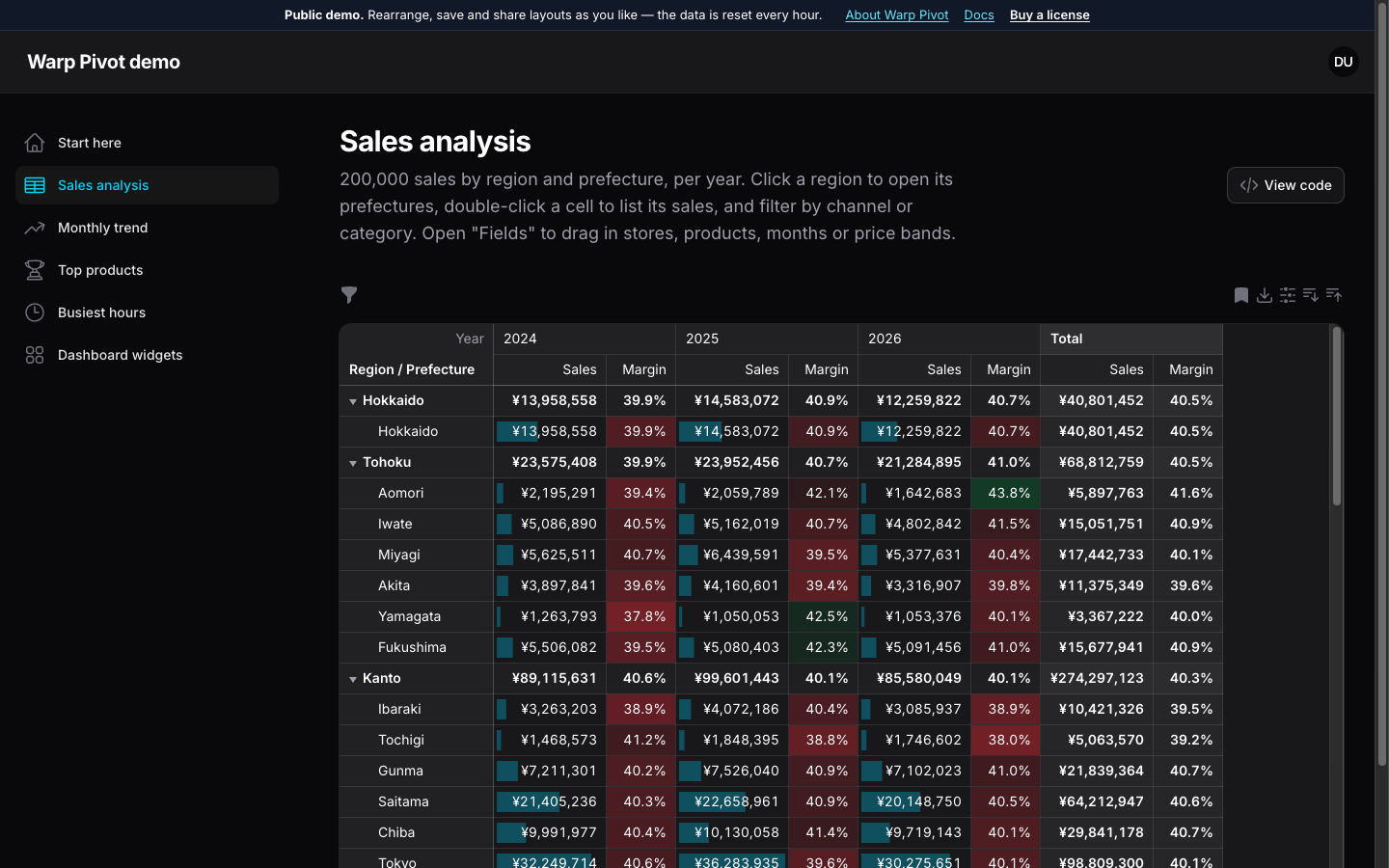
200,000 sales, added up by your database
Open a region, drag Channel into the columns, sort by the total and select a range to see its sum.
Try it in the demo →Behind every number, the records
Double-click a cell, search and sort the sales behind it, and change a quantity in place: the totals follow.
Try it in the demo →Filter by what the numbers say
Keep the last three months, then only the regions whose sales in them are over ¥15M.
Try it in the demo →Formats and rules as formulas
Losses in parentheses, a dash for empty cells, times of day, and a rule that looks at the sales and the margin.
Try it in the demo →The table and its chart, together
Show both, switch to stacked columns, hide a year from the legend and click a bar for its records.
Try it in the demo →A new value for every record
Write [amount] - [cost] in the field panel; the profit of every sale is added up in SQL.
Try it in the demo →Dark mode and ten languages
The canvas follows Filament's theme, and the menus, totals and dates follow the locale.
Try it in the demo →A Filament page with a pivot() method
Name the rows, columns and values, and add the page to your panel. Filters are Filament's own table filters; policies, tenancy, dark mode and translations work as they do everywhere else in Filament.
- Dimensions: columns, enums,
belongsTopaths of any depth, dates by year to hour or by weekday and hour of day, numeric bins and SQL expressions. - Values: count, distinct count, sum, average, min, max and ratios — computed from the records, never averages of averages.
- Show values as: percent of row, column, parent or grand total, change from the previous column, and running totals.
class SalesPivot extends PivotPage
{
    public function pivot(Pivot $pivot): Pivot
    {
        return $pivot
            ->query(Sale::class)
            ->rows([
                Relationship::make('store.prefecture.region'),
                Relationship::make('store.prefecture'),
            ])
            ->columns([Date::make('sold_at')->year()])
            ->values([
                Sum::make('amount')->money('JPY')->dataBars(),
                Ratio::make('margin')
                    ->of(Sum::make('profit')->expression('amount - cost'),
                        Sum::make('amount'))
                    ->percent()->heatmap('success', 'danger'),
            ]);
    }
}
See it in the demo
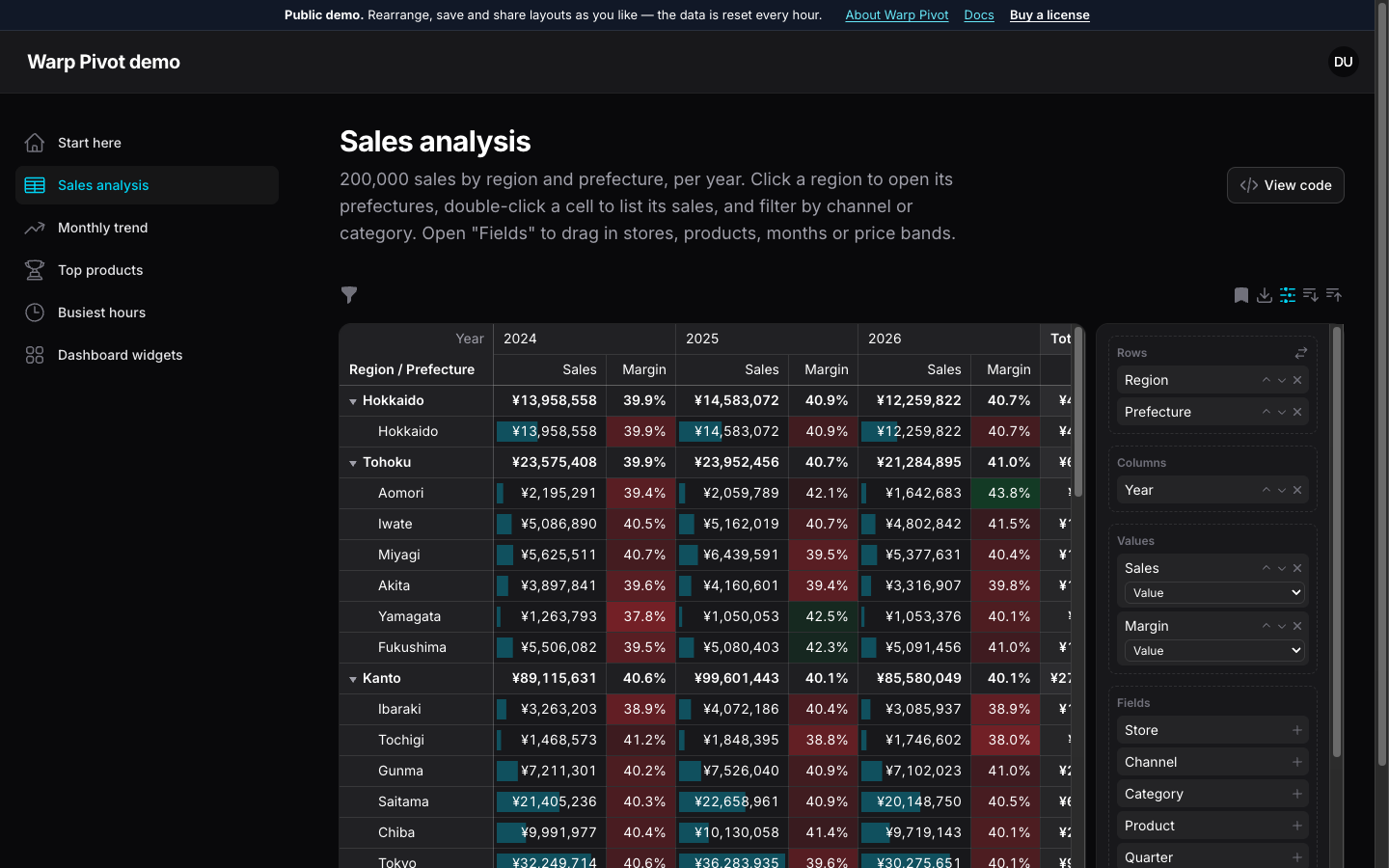
Drag fields into place
Users rearrange rows, columns and values in the field panel, save the layout privately or for everyone, and share it as a link.
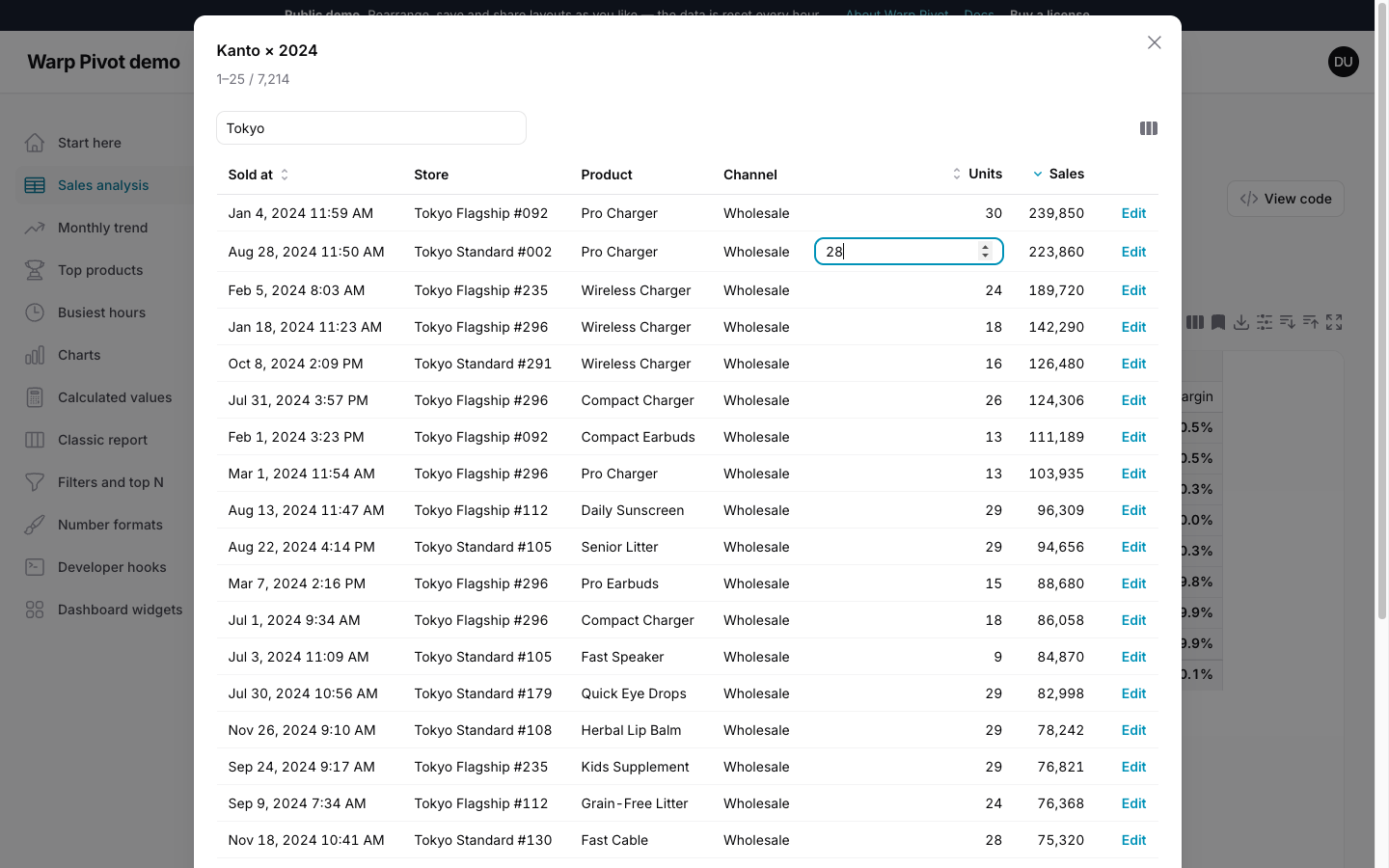
Drill down to the records
Double-click any cell to list the sales behind it, then search, sort and edit them without leaving the pivot. The totals update as soon as you save.
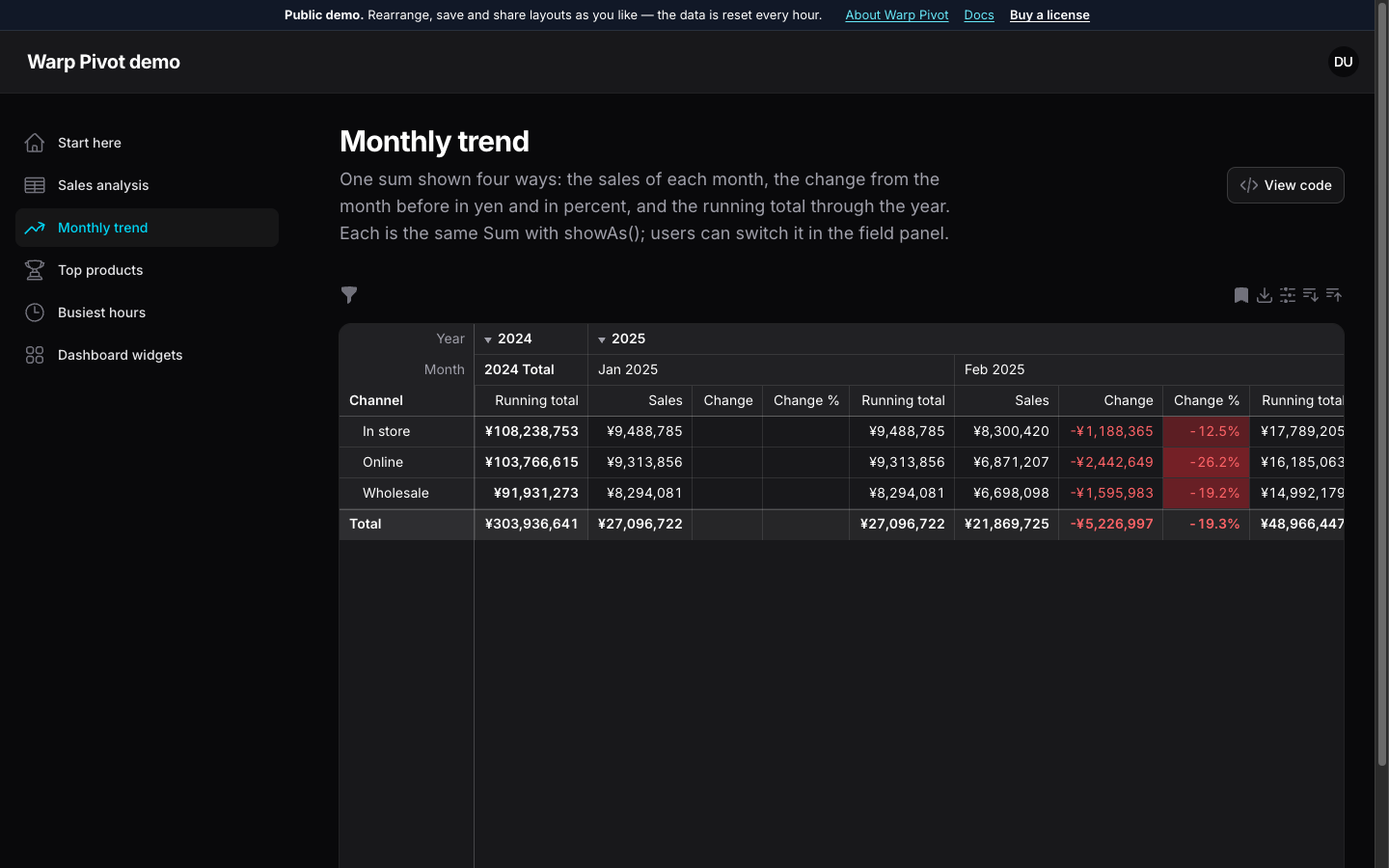
Month over month
The same sum as the change from the previous month, the percent change and the running total through the year.
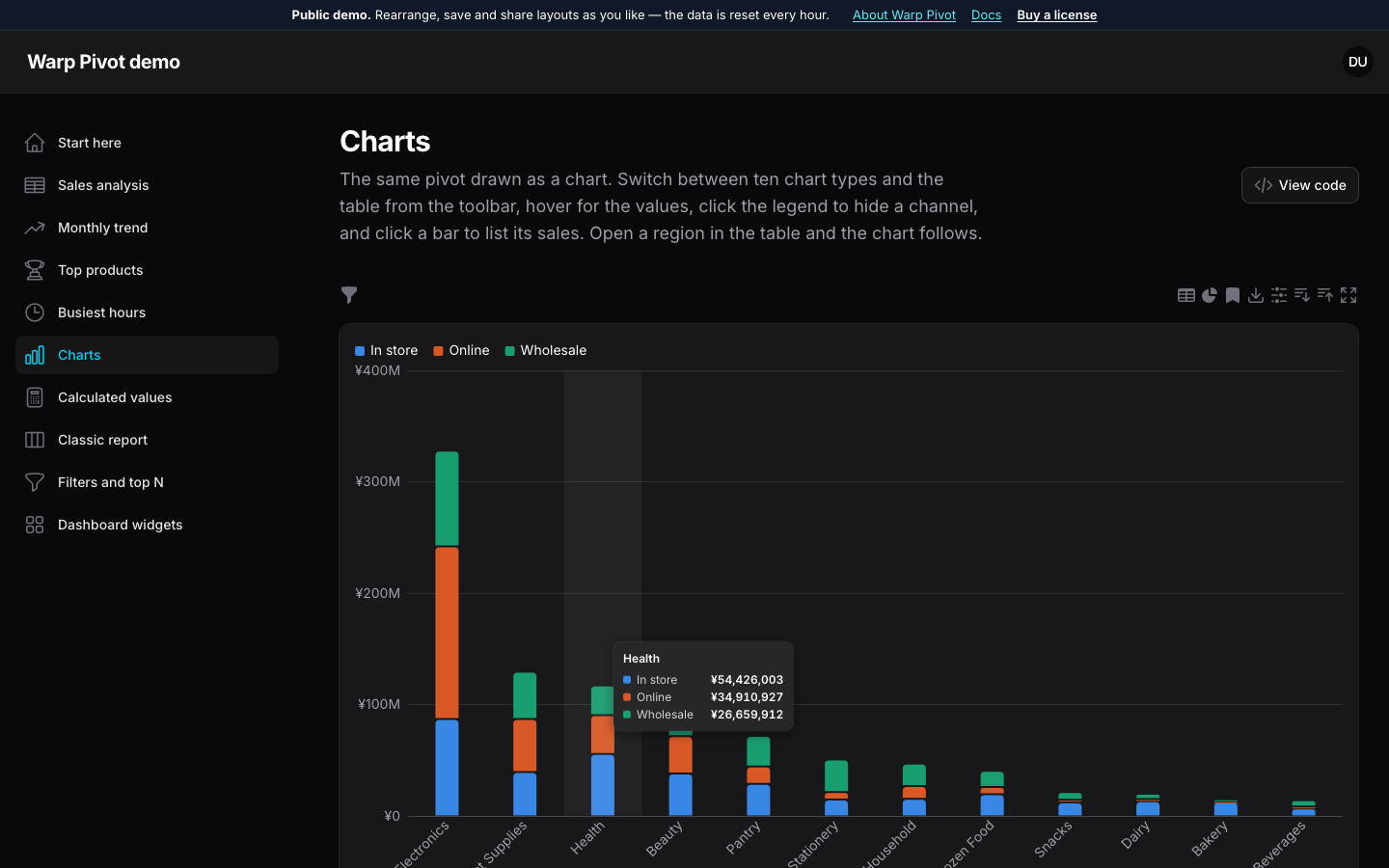
Pivot charts
Switch the same result to ten chart types: stacked columns, bars, lines, areas, pies, donuts and scatter plots. Click a bar to list its records.
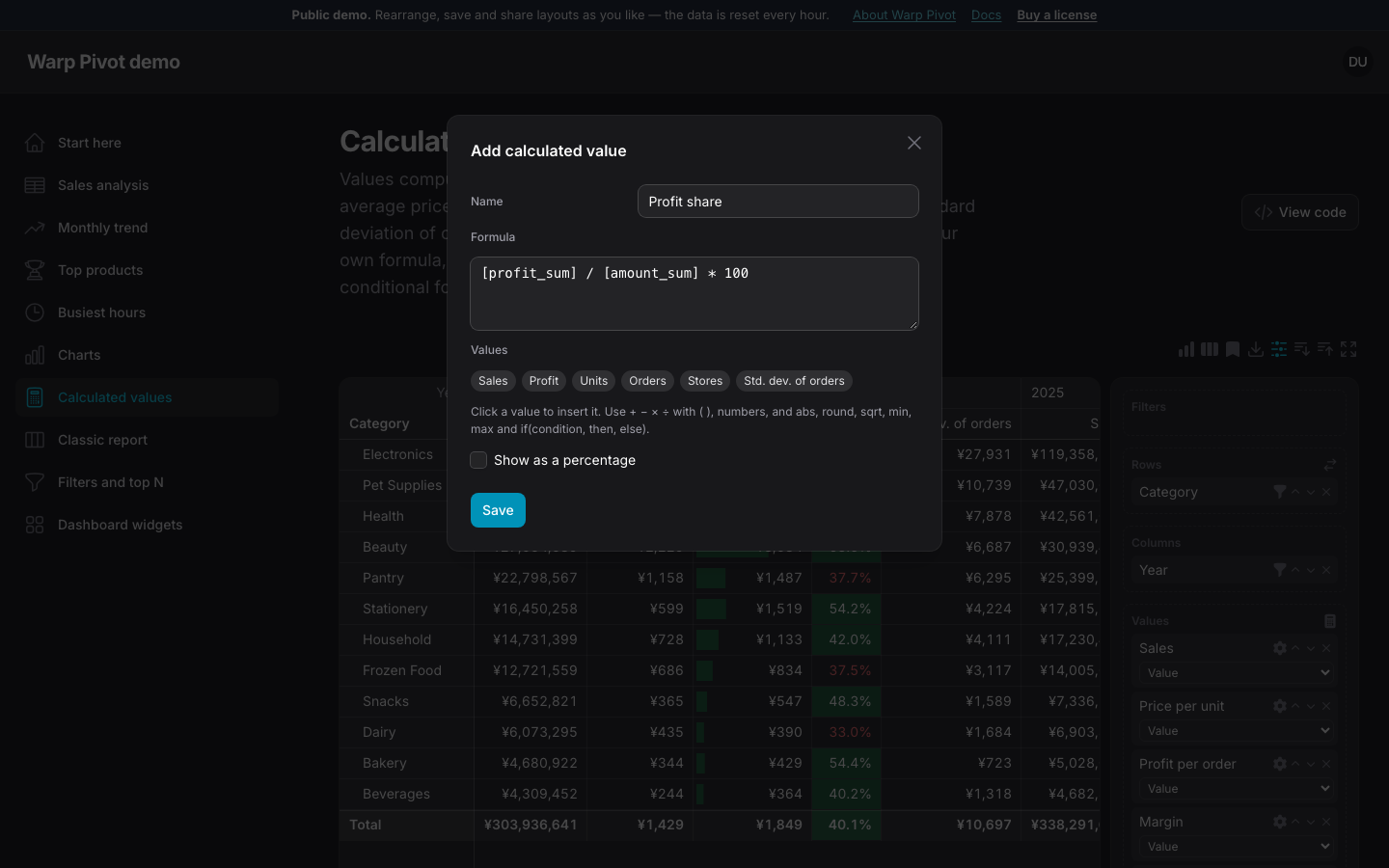
Calculated values
Write formulas over other values in the field panel. They are computed for every subtotal, so ratios and averages stay right.
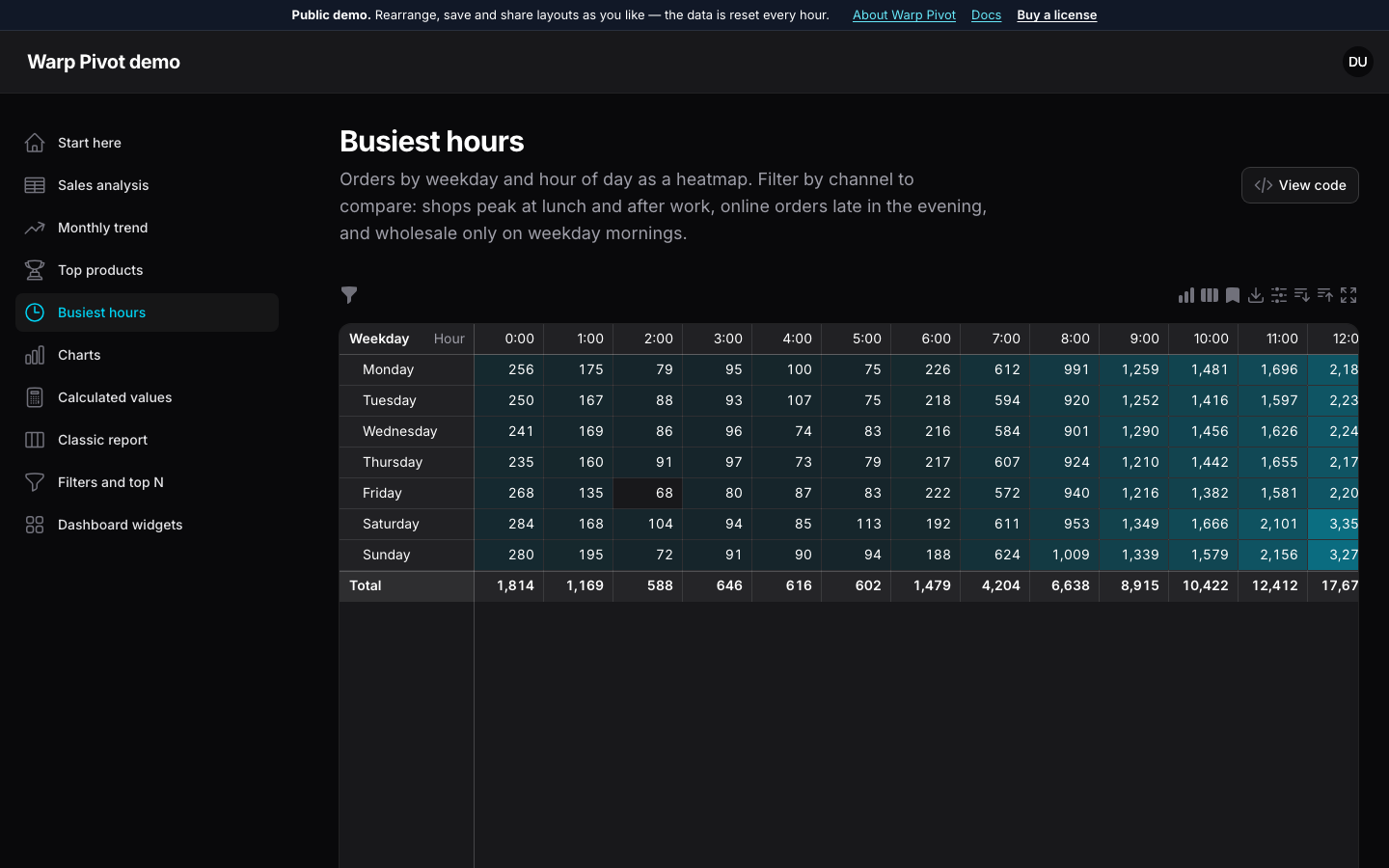
Weekday × hour heatmap
Dates by weekday and hour of day in the user's timezone, colored from quiet to busy.
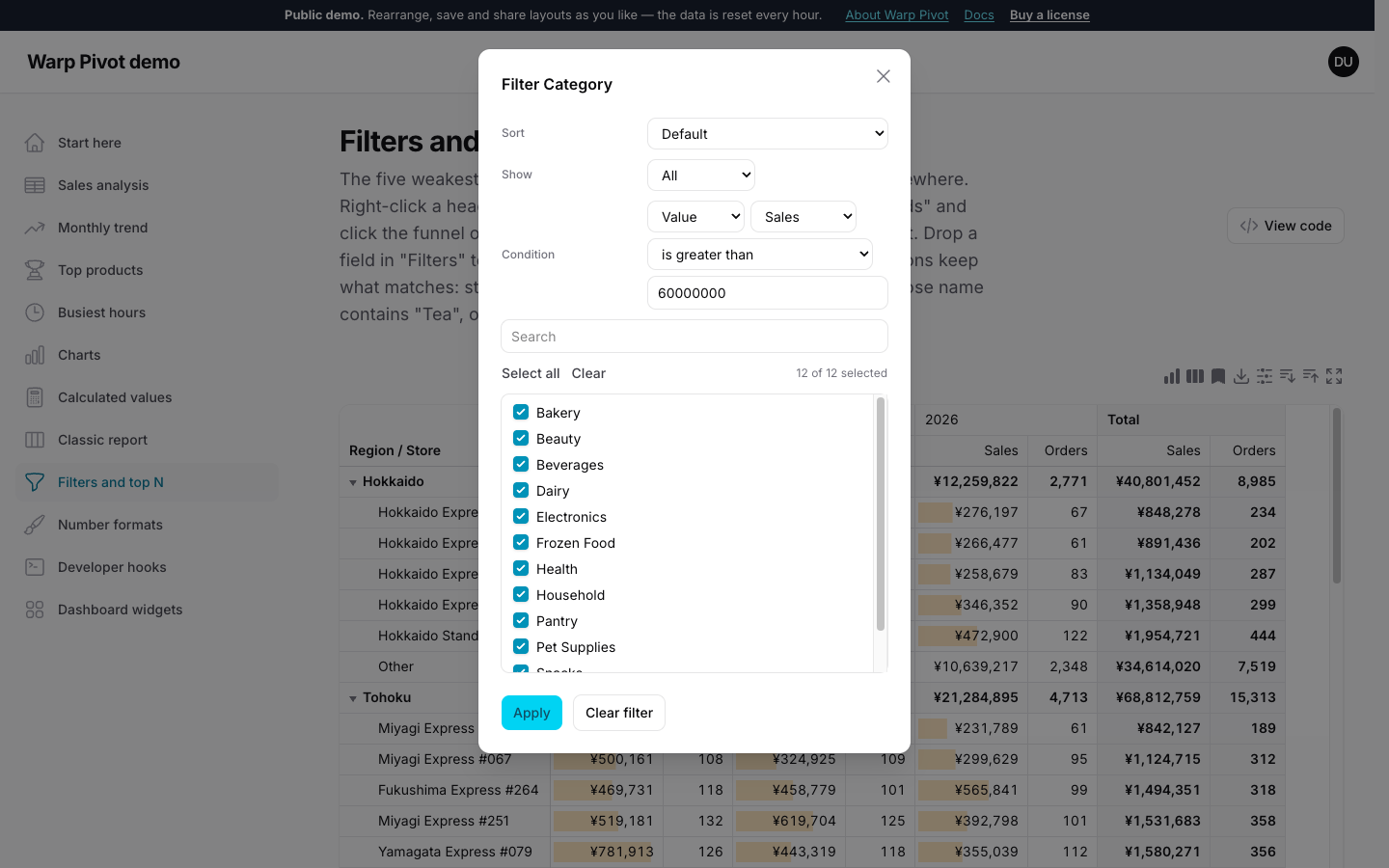
Filter by conditions
Keep the categories whose sales are over ¥60M, the products whose name contains "Tea", or the last three months. Conditions run in the database, so the totals follow.
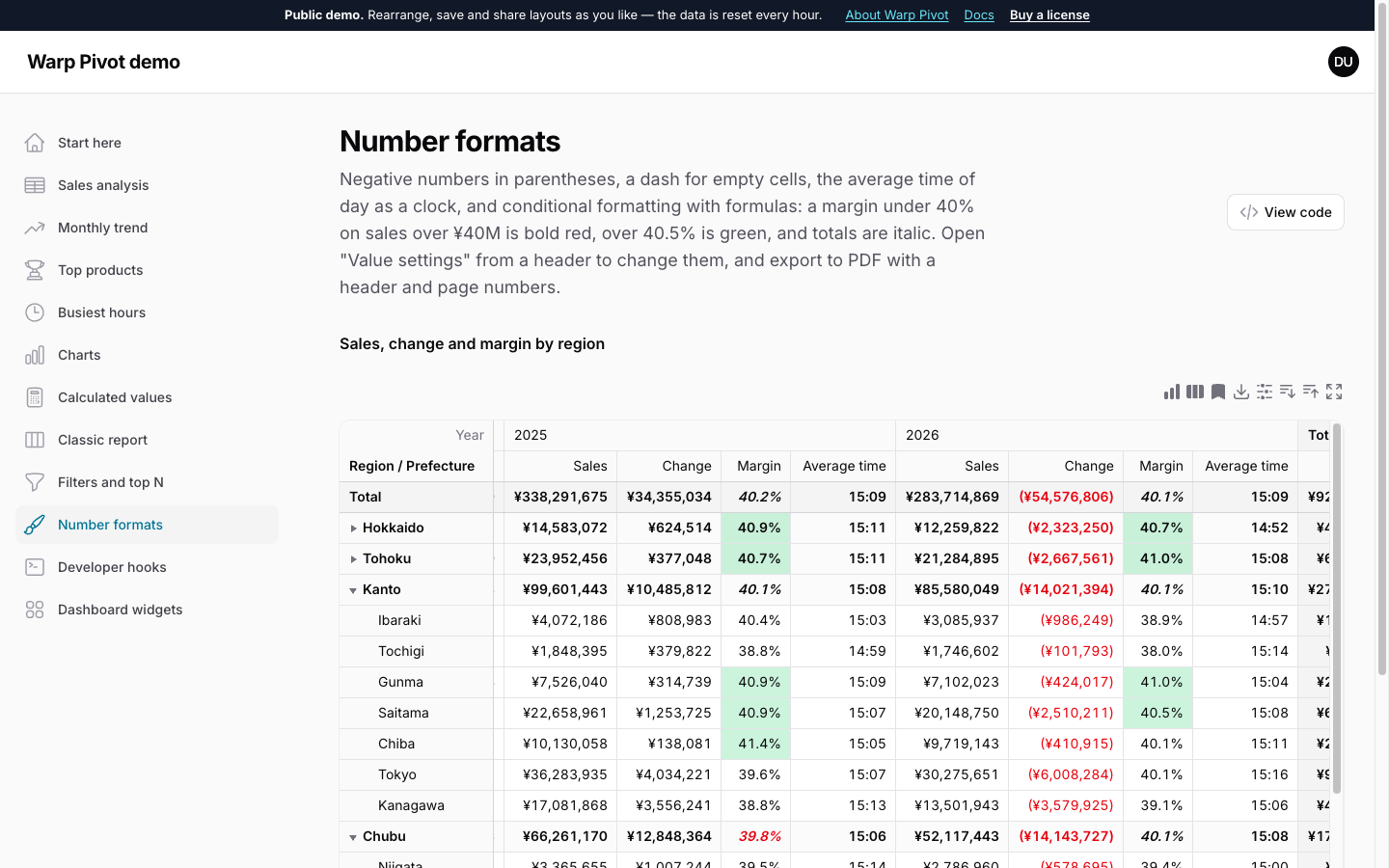
Formats and rules
Negative numbers in parentheses, a dash for empty cells, times of day, and conditional formatting written as formulas over the cell and its neighbours. Export it all to PDF.
Everything a report screen needs
Top N and "Other"
Keep the ten largest (or smallest) products per category and add up the rest, sorted and cut in the database.
Member and condition filters
Pick the values of any field from a searchable list, or keep what matches a condition on the label, a value or the date, on rows, columns or a separate filters area.
Compact, classic or flat
Show grand totals and subtotals per axis, resize columns by dragging, and right-click headers to sort, filter or expand a level.
Aggregations users can change
Sum, average, min, max, count, median, product, standard deviation and variance, plus index, rank, shares and running totals.
Heatmaps and data bars
Color cells by value or by thresholds with Filament colors, in light and dark mode.
Excel, CSV, PDF, PNG and print
Export what is on screen with merged headers, number formats, a header and page numbers, save the chart as an image, or print it.
Keyboard and clipboard
Arrow keys, range selection with its sum and average, and Ctrl/Cmd+C ready to paste into a spreadsheet.
Pages and widgets
A full page, a dashboard widget, or any Livewire component with a trait.
MySQL, PostgreSQL, SQLite
Dates are shifted to each user's timezone in SQL, daylight saving included. This demo runs on SQLite.
Pricing
Install with Composer using your email and license key. Every version released during your update period stays yours.
Single Project
$69
1 year of updates
One project that is not a SaaS, in all of its environments.
Buy Single ProjectUnlimited Projects
$149
1 year of updates
Any number of projects, including SaaS applications.
Buy Unlimited ProjectsNot sure it fits, or which license you need? Ask before you buy: pre-sales questions are welcome.
Hear about new releases
An email when a new version of Warp Pivot ships. Nothing else, and you can unsubscribe at any time.
Thanks! You're on the list.
From the makers of Warp Pivot
Warp UI: fast plugins for Filament with real amounts of data
Warp Pivot is one of six Warp plugins. Each one draws the heavy part on a canvas, so thousands of rows stay smooth, while forms, actions and policies stay Filament's own. Same look, same license terms, one place for support.
- Warp Table Fast tables for large pages
- Warp Sheet A spreadsheet for your resources
- Warp Repeater Table repeaters with a thousand lines
- Warp Scheduler A resource scheduler for thousands of rows
- Warp Pivot You are here Pivot tables that add up in the database
- Warp Floor Floor plans for desks, rooms and shelves